by admin | Dec 28, 2022 | Digital Marketing, Web design, Web Hosting
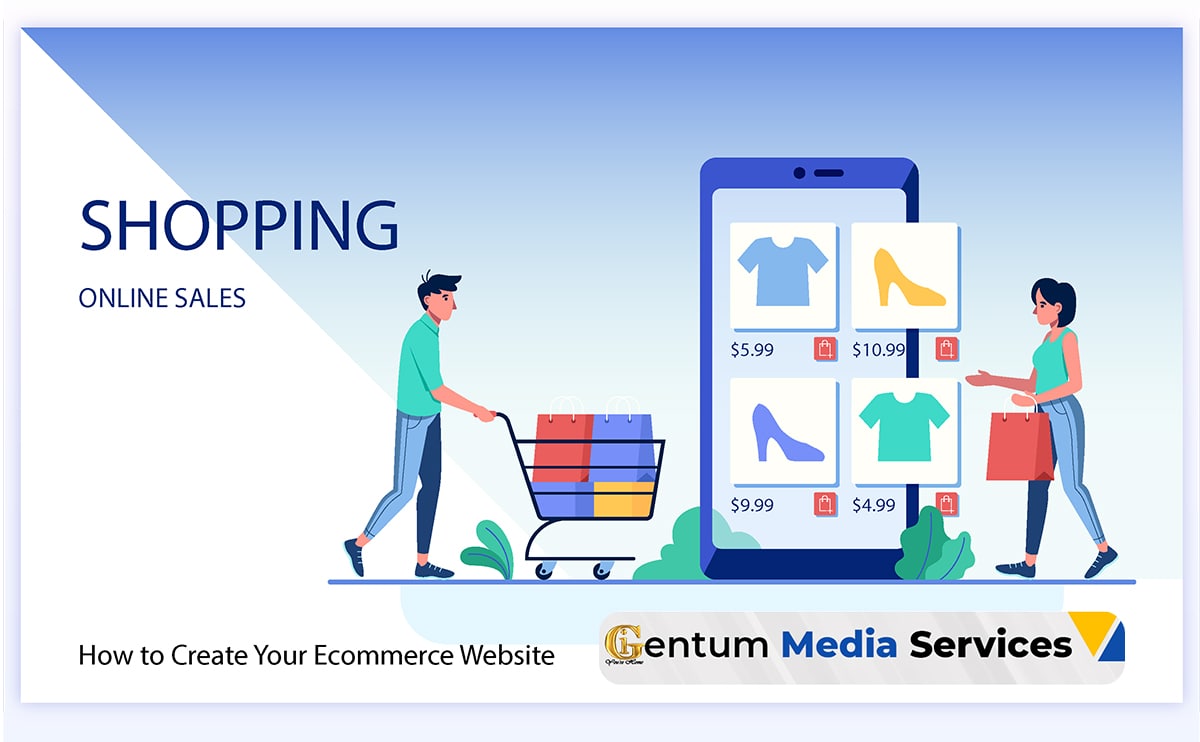
How to Create Your Ecommerce Website is particularly relevant in times when your physical store must close due to unforeseen circumstances. In times like these, an ecommerce solution becomes essential to your bottom line.
Having an offline store is a great way to build a customer base in your local community. If you have had success with your brick-and-mortar channel, you may even have a fleet of physical stores and a well-respected brand. In-store shopping allows real-time customer interaction and gives you control over their total shopping experience. You are poised to offer two important things that customers value: human interaction and individualized help.
While brick-and-mortar stores offer many advantages, creating an online presence to complement your offline retail can help you grow your brand and offer additional value.
The COVID-19 pandemic rapidly sped up the increase in ecommerce, but it was not the only factor. And in a post-COVID-19 world, ecommerce is here to stay.
For this reason, even when the bells on your brick-and-mortar’s door are jingling, it’s still smart to have an online store as part of an overall omnichannel strategy. After all, research shows that your potential customers are spending more time shopping online. According to data from Statista, online sales in the U.S. are expected to reach $476 billion by 2024.
If you’re interested in launching an online store, we’re here to help. Contact us for free consolation.
In this guide, we’re covering everything you need to build a thriving online channel including all the integrations required to set you up for success.
10 Steps for Setting Up Your Ecommerce Website
It can be easy to become overwhelmed with the sheer volume of possibilities in ecommerce. You may want to do it all at once. But remember, the journey of a thousand miles begins with a single step.
You don’t need the perfect website right away. You just need the version that gets your site up and your products in the hands of your customers — while leaving you plenty of room to grow and customize after launch.
These are those steps.
- Create a plan.
- Choose your ecommerce platform.
- Create an ongoing budget.
- Choose a domain name.
- Choose and customize your template.
- Determine your product selection.
- Select shipping and fulfillment partners.
- Set up payment options.
- Add products to your store.
- Test and launch your online store.
1. Create a Plan
Regardless of your timeline to launch, you still need to have an organized, detailed plan. Measure twice, and cut once, as they say. You need to take the time to plan now, so you don’t waste your efforts later.
This plan should include the resources you will need, including both tech resources and human personnel, and your overall investment. You need to know who will be managing both building your site and running the day-to-day systems. You also need to know what those systems will be.
Rest assured, with an outlined plan, you can make bringing your brick-and-mortar store into an online environment a quick process.
2. Choose Your Ecommerce Platform
If you’re new to ecommerce, you might not have thought too much about which store builder you will use to provide shopping cart functionality for your store. Before you jump into the creation process, you have to pick the platform.
If you’re trying to get up and running quickly, you likely need a SaaS (Software-as-a-Service) platform like BigCommerce or Shopify. These can provide many of the necessary features you will need as outlined below.
Easy and quick setup.
To get your site up quickly, you need a site that enables you to build and ramp up your operation with speed and efficiency. This is why a SaaS platform may be the right choice for you.
While there are plenty of strong ecommerce website builders out there, including open source options like Magento, they have a steep learning curve and require near-expert developer knowledge to build your site.
Most SaaS platforms come with many pre-designed themes, either free or for purchase, that you can use as the visual foundation of your site. Uploading products and managing products on the backend is also simple, so you can go live faster.
Security features.
In addition to opening up your site to an expanded audience, having an online store also opens you up to more potential security concerns.
Having a platform with strong, multi-layered security is essential to keeping your business and your customers data safe. SaaS platforms handle updating security patches for you.
You will also want to ensure that the platform you choose is PCI compliant and that your store has a SSL certificate.
Make sure you have customer support.
Even with the best laid plans, issues will come up. Make sure you have someone who can help you solve these challenges. Ideally, the platform you choose should have 24/7 support available to you.
Mobile and desktop responsiveness.
Insider intelligence projects that U.S. revenue from shopping on mobile devices will be $488 billion by the end of 2024. Having a mobile optimized site will also help your site rank better with search engines. Also, from a customer experience lens, you want to ensure customers have no problems viewing product pages on different devices.
All of this to say, make sure the platform you choose is optimized for mobile and desktop responsiveness.
Tools for scaling your business.
While your immediate goal is to get up a site quickly, when you’re choosing a platform, it’s best to think a bit more long term. Replatforming (switching to a new platform once you’ve already built a site) can be a bigger headache, and a larger hit to your bank account, than starting from scratch because you now have data you have to migrate and integrations to manage.
Your ideal platform should be one that not only can get you up quickly but also has the tools to scale with your business as you grow.
Questions to ask a potential platform:
- Is there a cap on the amount of products that I can add to my site?
- Will site speed be affected as my traffic increases?
- Does the platform make it easy to expand to other channels like Amazon, Facebook and Instagram?
Front-end flexibility and beautiful templates.
As mentioned above, to help get you started quickly, you want a platform that provides a selection of beautiful templates and allows you to make your site look like you want it to. Having flexibility on the frontend to customize to get what you need is important.
As with the above, this could be a more long-term ask. Choose a platform that will allow you to get a beautiful site up now, but that also has the functionality to help you customize it later, once you have more time.
3. Create an Ongoing Budget
As we mentioned above, one of the advantages of starting an online store is that the costs are significantly less than starting a physical store. However, that doesn’t mean opening an online store is free. And if you’re not careful, the associated costs can add up.
Make sure you understand any ongoing fees and expenses associated with your online business. Create a budget specifically for your ecommerce. Here are some costs you will want to track:
Platform, security and hosting costs.
If you choose a SaaS platform, hosting and security are included, but you will pay a monthly fee. If you choose an open-source platform, you may not have a monthly fee for the platform itself, but you will have costs for hosting and security management.
Design and development costs.
Depending on your in-house team or your own expertise, you may need to hire an outside agency or freelancer to help you build your site and make it look how you want. These costs will likely be ongoing as you will need to make changes and updates as you go.
Payment provider fees.
Offering different payment gateways to your customers means paying fees to different payment providers like PayPal and Checkout by Amazon. Some ecommerce platforms, like Shopify, also charge a fee for not using their payment provider. Take these fees and percentages into account in your budget.
Integrations and third-party apps.
Once you get online there are a host of product management systems, shipping tools, plug-ins and marketing apps that can help you grow and scale your online business (more on that below). Some ecommerce platforms also have some of these features built-in. As you’re choosing a platform, also look at what features and integrations you will need and what fees those will have.
4. Choose a Domain Name
Your domain name is the part of your store’s URL that identifies it. For example, in the web address: www.gentum.co.ke, “gentum.co.ke” is the domain name.
Think of it as the online equivalent of your physical store’s signage. It should both give customers an idea of what you sell and tell them something about your brand.
If it’s available, you can make your domain name the same as your physical store. However, you might also want to choose a name that is different. Here are some quick tips for choosing a domain name:
- Be unique, but also make it clear what you’re selling.
- Add a keyword to improve your search engine rankings. This will help more people find you.
- Avoid using brand names or registered trademarks.
- Choose .co.ke if you’re in the Kenya or the country code where your business is located and where your primary customer case will be. If you intent to sell to more than just Kenya, you may want to use a .com domain.
You can purchase a domain name through your ecommerce platform or purchase it separately from a domain selling service and link it to your platform.
Please note, our support team is happy to guide you on these steps together with hosting services.
5. Choose and Customize a Template
When discussing choosing an ecommerce platform, we touched on the value of having pre-designed templates available. Now that you’ve chosen your platform, you can choose the theme or template you would like to use. This should enable you to get your site up quickly with minimal design work.
Drag-and-drop editors like Page Builders, can make it even easier to get the look and feel you want without coding. This functionality makes it easy and intuitive to build and update a beautiful custom website.
When designing your home page and product pages, there are few questions to consider.
How do you want your store to look?
You may want to have the look and feel of your online store echo that of your physical store, or you may choose to have them both have their own unique identities while still tying into your overall brand.
How do you think your customers will shop?
For an online store, the design isn’t just important for appearance but also impacts how customers find what they need. Think about what categories your customers would likely expect. You can use what you know of your customers in-store shopping behavior to help inform how you design the user experience of your online store.
What features do you need?
Not all templates or themes will have the same features. Does your store need to display photos in a gallery? Will you need videos to showcase your products? You can usually filter templates by just those that meet your feature needs.
6. Determine Your Product Selection
In the interest of time, you likely won’t want to start with the complete inventory of your physical store right away. Instead pick the products that are your highest sellers or that may have the potential to do better in an online environment. Here are some suggestions, which will obviously vary based on your industry:
Hobbyist products.
These are products that support people’s hobbies and interests. People who enjoy collecting these items or using them for their hobbies, will be willing to buy them again and again and will pay more for items they’re particularly excited about.
High margins.
Start with your big ticket items with higher margins when you’re first launching your site. Don’t forget, you will now be paying for shipping and fulfillment costs, so you want to make sure the cost of the items you sell warrants these additional expenses.
Light weight.
Again, since shipping and handling is now a factor, choosing your lighter and easier-to-ship products to start your shop makes economic sense.
Hard-to-find locally.
If you sell products that are specific to your area and might be difficult for non-locals to find in their area, these are great products to feature on your new ecommerce website. You can expand your audience to include customers that didn’t have access to your products before.
Consumable products.
Consumable products require people to buy them again and again, so they also make good products to start with. You can use these products to start building a loyal customer base. If you predominantly sell consumable products on your site, you may even want to consider starting a subscription service, so customers can sign up and receive your products just when they’re about to run out.
7. Select Shipping and Fulfillment Partners
If you already have a brick-and-mortar store, chances are you already have vendors who you order from and have a consistent relationship with. However, with an online store, you now have the added pieces of shipping and fulfillment to get your products into the hands of customers. There are two ways to go about the fulfillment process depending on what works best for you:
Take on the packaging and shipping yourself.
Depending on the volume of shipments you anticipate, you can do the packaging and shipping in-house. If you go this route, you will need to purchase the necessary packaging materials. You can also see if you can negotiate rates with carriers to get cheaper rates, again depending on your expected volume.
Leverage a third-party service.
If you don’t have the resources to manage shipping and fulfillment in-house, another option is to use a third-party service to handle it. The third party would manage the warehouse, pack, and ship online orders directly to your customers on your behalf. You would need to work this into your budget to see if this makes sense for your business.
8. Set Up Payment Gateways
In addition to actually fulfilling your customers’ orders, you need to set up payment gateways so they can pay you. Especially in a time where flexibility and convenience is king, be sure to offer various payment methods (e.g., credit card, debit cards).
Most ecommerce website builders will make it easy to sync with a number of payment gateways such as PayPal, M-Pesa, Visa, Apple Pay and Mastercard. Each of which can handle credit card payments.
Choose the payment providers you think your customers will be most likely to use and connect those to your store. If you have specific business concerns like selling high-risk products or wanting to sell cross-border, you will want to make sure your payment gateways support those needs.
9. Add Products to Your Store
Now that you have a stylish site designed, a fulfillment plan outlined and have chosen which products you plan to sell, you’re ready to add products to your store!
When adding products, you want to make sure your product descriptions are clear and optimized for SEO (search engine optimization). This will make it easier for people to find them when searching online.
Here is some key information to include in your product descriptions:
- Name of item,
- Price,
- Weight and dimensions,
- Variants, such as color and sizes available and
- A clear description of the item.
You will likely also want to include high-resolution photos and videos of your products, so customers are clear on what they’re getting. By providing detailed product descriptions, you will help to limit the number of returns you have to process.
10. Test and Launch Your Online Store
You’re almost ready to go live, but there’s one more crucial step to take. You will need to preview and test all essential functions to make sure everything works as it should.
This should include confirming all of the following on multiple web browsers:
Does your site work correctly?
Preview your site. Do your products, photos and descriptions appear as you want them to? Do all the buttons you click take you to where you want them to go? Does navigating the site seem intuitive?
Does checkout work?
Test all of your payment gateways with test orders. Do they go through? Is the pricing correct? Do any discounts and promotions apply as intended? Do taxes show up correctly when the user enters their location?
Does the site work on mobile?
Make sure your site works on mobile devices and that all features are accessible.
If everything looks good and works as it should, you’re ready to go live and start selling online!
Essential Integrations for Your Ecommerce Website
Think of your ecommerce platform as the home base for your ecommerce website. However, it will likely not be the only part of your tech stack. Making sure all parts of your system integrate with your ecommerce platform will save you headaches in the long run.
1. Payment integrations.
You can choose payment gateways from popular providers that would work for your customers. These are critical integrations that need to work seamlessly with your shopping cart.
In a competitive market with high customer expectations, you’ll need to offer the best possible delivery experience if you want to stand out. Above, you figured out your fulfillment strategy. If you are choosing to go with a third-party system to manage shipping and fulfillment, this needs to integrate with your platform.
3. Analytics integrations.
One of the advantages of having an online store is that you can track customer behavior and see what pages they’re landing on, what they’re buying and where they’re dropping off. This will help you optimize the experience to get more shoppers to convert. Integrating analytics apps into your ecommerce store can help you track and better understand this valuable data.
4. Inventory integrations.
While your ecommerce platform will likely have its own inventory management features, for more complex stores you may want to have a third-party inventory management system as well. Synching your inventory ensures that orders will always be fulfilled, because when an item runs out of stock, the system auto-updates before the next prospect tries to purchase it.
5. Accounting integrations.
Regardless of the scale of your ecommerce business, you’ll need an accounting solution for bookkeeping. This can help you manage payroll, budgeting, cash flow statements, purchase-and-sales charts and profit-and-loss charts. This type of integration is crucial to making sure you keep on your original ecommerce budget.
In the interest of focusing on getting you launched as quickly as possible, we haven’t focused as much on digital marketing; however, once you get your site up and running, you will want to start marketing to get more traffic. This is again an advantage of having an online store — you have a way to reach customers and let them know about new products that might align with their interests. Adding email and marketing integrations to your tech stack can help you with these pursuits.
7. CRM integration.
Once you’ve driven more traffic to your site and started to build out a loyal customer base, you may also want to consider a CRM or customer relationship management integration. A CRM helps you manage relationships with current and potential customers which can ultimately help you both improve conversion rates and customer loyalty/retention to drive increased sales revenue.
8. Customer support integrations.
Customers are more likely to convert and more likely to shop with you again, when you take care of their needs and answer their questions in a timely fashion. Depending on the bandwidth of your team, you might not have the manpower to answer every email or phone call that comes in. Thus another integration to consider are those that provide customer support. This can include live chat or chatbots that can use AI technology to answer common questions and assist customers in real-time.
9. Social integrations.
As you get your site more established, you may also want to expand to other channels like social media platforms. These can be both a good marketing tool for advertising your products and establishing your brand, and also places to sell your products. Many ecommerce platforms allow you to easily integrate across social channels to better manage your inventory in one place.
Final Remarks on How to Create Your Ecommerce Website
Running an ecommerce website can be a complex undertaking, but that doesn’t mean you can’t get one up quickly in a pinch. Hopefully this guide will help you get your business reaching new customers sooner than you ever thought possible. We are here to support you on this journey as you transition to online store. Whether you are starting a fresh or you need a revamp of your existing platform. Do not hesitate to reach out to us.
The Digital Marketing Services
Gentum Media Services offers state of the art Web Design and Development, Web Hosting Services, Digital Marketing, Corporate Branding and Social Media Management. Specific to this article, we are happy to support your business How to Setup Your Email Program.
Talk to us today and let us discuss your big project.

by admin | Dec 7, 2022 | news
TSC TPAD 2 login, registration, and appraisal form submission made easy online. The Teachers Service Commission (TSC) of Kenya, responsible for recruiting teachers, goes beyond setting minimum requirements for graduates to be registered as teachers. It tracks teachers’ progress by regularly appraising their performance throughout their careers, up to retirement. This led to the development of TSC TPAD 2, a system specifically designed for teacher performance appraisal.
What is the TSC TPAD 2?
It is a new Teacher Performance Appraisal and Development created by the Teachers Service Commission to make it easier for teachers to upload their appraisal data quickly.
With the introduction of this portal, TSC has had to classify the various roles of teachers, school heads, and deputy heads. As a result, the three categories of teachers have their separate portals for self-appraisal.
Roles of different teacher categories in the new TPAD
Each teacher must find the portal for their category from the TPAD home page and then proceed with the self-appraisal. It is done by filling out a form and uploading the data to the website. Below are the roles of teachers in the new TPAD:
The Principles
In the system, the bulk of roles goes to school heads because they are responsible for the smooth running of schools. Below are the roles assigned to them. These roles include:
- Ensure that all the teachers in their schools are captured on the Teachers Management Information System (TMIS) and activate all teachers on TPAD.
- Arbitrate and countersign all teacher appraisal forms, including the ones for their deputies.
- Appraise the Deputy Head/Principal at the school level through scheduled appraisal meetings.
- Training all teachers on the new TPAD.
- Expunging teachers who have left their institution from both TMIS and TPAD.
The Deputy Principle
The roles of the deputy principle have been clearly laid out as well on the platform. Pertaining the school administration has been assigned the following responsibilities in the new TPAD:
- Observing all Heads of Departments, also known as HODs and Classroom Teachers, as they perform their duties.
- Updating the weekly lesson attendance registers of teachers.
- Appraising all Heads of departments and classroom teachers through scheduled appraisal meetings.
Characteristic of the new Tpad2 Tool.
Unlike the old TPAD, which had seven areas to be filled, the new TPAD comes with only five standard areas. The areas provided for in the tool are:
- Professional knowledge and practice
- Comprehensive learning environment
- Teacher professional development
- Teacher conduct and professionalism
- Participation in a professional learning community.
How to Create a New TPAD2 Account
Creating an account is easy to do. Find the below simple steps.
- The first step is to go to the account creation portal, from where you will be accessing the TPAD2 account login page.
- A form will be shown requiring you to input your TSC number, ID number, phone number, email address and password. Those are the details you will use to create your account.
- Having clicked on the ‘create’ button, a success message will be displayed, after which an SMS token will be sent to your phone for the TPAD2 account activation.
- Use the code sent to you to verify the token and complete the registration process.
How to Add Your Bio Data on The Tpad2 Tool
Now that you have known how to create a TPAD account, what follows is adding your biodata. Begin by adding your level of education as well as subject combination details. The steps at this level are as follows:
- Add your information, such as institution information and contact information.
- Select your subjects combination and add the subjects that you teach.
- Add the level of education, KSCE grade and institution of study.
TSC Tpad2 Login and Filling Appraisal Data
The TPAD login account is accessed with the password you created when registering your account. After that, you will be expected to fill out appraisal forms online. This stage is completed with the following steps:
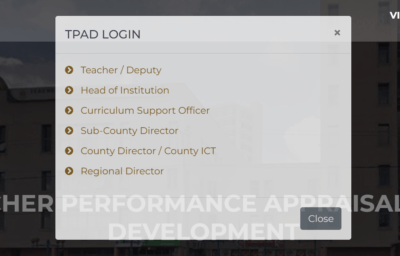
- First, click on “Login tab” then select the category of user and enter your account details on the TSC tpad2 login page.
- After logging in, click on “Start Appraisal” and “Create New Appraisal”.
- After selecting eligibility, click on ‘Save Appraisal’, and then a success message will pop up.
Read also: Govt Announces Date for Release of Grade 6 KPSEA Exams
Some of the appraisal details you also need to note include:
- The teachers’ portal contains the least details, including teacher professional development and self-appraisal with sections, lesson observation, and self-assessment.
- Deputy heads are directed to a portal with four sections, self-appraisal, appraiser appraisals, teacher professional development, and appraisal reports.
- The portal of heads of institutions is divided into six areas, appraisals, calendar of activities, TPD, performance contracting, institution set-up, and reports.
Teachers are tasked with a duty to teach and shape children in preparation for their future lives. If teachers’ performance is not appraised, then it may be impossible to tell whether the learners are being taught well or not. The role of the TSC TPAD 2 is to make this exercise easy by allowing teachers to appraise themselves online.
Please note that the TSC is required to register all qualified teachers before they can teach in any public or private school. They are issued with the TSC registration certificate that bears the TSC number within a period of 30 days.
Acquiring the TSC registration ensures that you get hired by the TSC and increase your chances of being promoted. The online application process for the TSC registration certificate is pretty simple, and you can easily follow through.
Similarly, you might be interested about How to Login and Download TSC Payslip Online.
The Digital Marketing Agency Services
Gentum Media Services offers state of the art Web Design and Development, Web Hosting Services, Digital Marketing, Corporate Branding and Social Media Management. Specific to this article, we are happy to support your business How to Setup Your Email Program.
Talk to us today and let us discuss your big project.
by admin | Dec 7, 2022 | news
Tubidy MP3 – How to download music for free
Tubidy is among the best media streaming platforms best known for its wealth of entertaining content. The site attracts thousands of streamers every month, making it an excellent resource for popular playlists. Tubidy MP3 downloading platform has mainly amassed a strong fan base because it never runs out of the latest hit tracks. So, how do I download MP3 music from Tubidy?
Tubidy is a giant site primarily for MP3 streaming and downloads. Its regular visitors get to enjoy so much content, which is sometimes available in other formats, among them MPEG videos. Tubidy music download is a preferred choice for most smartphone users who would rather download than stream online every time they want to listen to their favourite songs. The site is handy for converting media content into various formats, among them MP3.
What is Tubidy?
Tubidy is a reliably stably digital sharing platform developed by WapTrick with a robust database capable of handling simultaneous file transfers in their millions. Renaud Kuiper pockets huge credits for the company’s establishment and outburst of reputation in both MP3 and MP4 media services. MP3 audio coding format is perhaps one of the most reliable pillars at Tubidy.
What is Tubidy used for, and how does it work?
Tubidy works on a simple principle of converting video format music into audio files within renowned applications, including YouTube to MP3. That implies that all playable videos on significant streaming sites are convertible to MP3 using Tubidy mobile app. This Tubidy smartphone application lets users convert their favorite songs into the audio format for endless offline entertainment.
Tubidy MP3: can I download music for free? Is Tubidy free?
Tubidy is by far the best online streaming site that offers its users legal access to free music and movies. The site comes with no hidden obligations for visitors hunting for trendy MP3 and video content. Is Tubidy free to download songs? Tubidy songs are entirely free for streaming and download. However, if you want to download Tubidy MP3 songs for commercial use, you should first seek the necessary authorization.
How do you download songs on Tubidy?
Wondering how to download music from Tubidy? First-time Tubidy users often face the challenge of accessing media and downloading it from the website. Luckily, the site has rolled out an application with simplified media handling functionalities and exemplary user interface. Even so, both mobile and desktop users can still download thousands of songs without necessarily installing an application. Tubidy Mobi music downloads webpage is highly customized to meet booming music needs in the industry.
How to download music MP3 from Tubidy
Storing content and organizing playlist on your tablet is now easier than you thought using Tubidy MP3 download. Tubidy updated search engine is arguably among the best features that allow visitors to access content with ease. Follow our steps on how to use Tubidy with the Android operating system and iOS system.
Tubidy on Android
Android phone users can now safely download their favorite music from Tubidy in a matter of a few clicks. How do I download music from Tubidy to my Android?
- Open your favorite phone or tablet browser and search the address “tubidy.im.”
- Now proceed to search for your favorite songs on the search box to start enjoying high-quality streaming.
- Once you find your favorite MP3, long-press the download link until the submenu pops up. From the menu, select “Save Link” to start your download progress.
- Make sure your Wi-Fi or data is kept active for fast downloads.
Tubidy on iOS
If you own any of the Apple devices, here is how to use Tubidy with the iOS operating system. Like Android users, iOS can also enjoy Tubidy Mp3 downloads through their favorite browser, such as Safari, without difficulties.
- Start by typing “tubidy.im” into the address bar and searching.
- Input your search criteria inside the search box at the top of Tubidy page.
- Click the song description then click the download link to initiate your download process.
Tubidy download free MP3 music on Windows and Mac
If you want to enjoy high-quality MP3 files, then you will undoubtedly need to obtain the right Tubidy music downloader. A good example of a favourite downloader is iMusic which comes with superior features making it a top software package.
How to free download MP3 music from Tubidy using iMusic
Access MP3 songs at Tubidy.com using the iMusic app, which offers unlimited access to more than three thousand online music stores from across the world.
- Start by downloading iMusic for Mac or Windows, depending on your functional operating system, choosing between the free version and premium version based on your convenience.
- Launch the iMusic application then click on the download tab. Copy your desired Tubidy URL and paste it in the text bar. It will only take a while to complete the specified download.
- Batch downloading is a useful feature that lets users download multiple files from Tubidy at steady speeds without buffering.
Tubidy App – Mp3 downloader
What is Tubidy new app? Tubidy App is handy is downloading an unlimited range of media, including Facebook, YouTube, Vimeo, DailyMotion, and Instagram videos. The application offers access to quality media as well as international radio stations. Access Google Play Store, App Store, and tubidy.com to download Tubidy mobile app.
Is Tubidy safe to use?
Tubidy offers safe MP3 and MP4 downloads for free as long as it is used for personal consumption and not public broadcasting.
You can now start updating your playlist with favorite Tubidy audio and videos through the new mobile application and Tubidy website. Mac, Windows, iOS, and Android users can now enjoy unlimited Tubidy MP3 music for free all day long.
DISCLAIMER
This article is intended for general informational purposes only and does not address individual circumstances. It is not a substitute for professional advice or help and should not be relied on to make decisions of any kind. Any action you take upon the information presented in this article is strictly at your own risk and responsibility! Tubidy MP3 – How to download music for free is made for your readership and guidance.
The Digital Marketing Services
Gentum Media Services offers state of the art Web Design and Development, Web Hosting Services, Digital Marketing, Corporate Branding and Social Media Management. Specific to this article, we are happy to support your business How to Setup Your Email Program.
Talk to us today and let us discuss your big project.
by admin | Dec 3, 2022 | Email Marketing
Email Marketing Strategies: How Strategic Email Campaigns Can Be Used To Accelerate Sales
Email marketing campaigns are essential to every ecommerce shop’s arsenal.
When it comes to promotions, there’s really no better way to keep your current customers, rescue old ones, and gain new purchases.
The problem is that countless automated emails flood customers’ inboxes daily.
That’s why there are innumerable articles online all about how you can unsubscribe from all the noise and clean up your inbox.
So, unless you’re handling your email marketing smartly and creatively, it’s going to go unread and be a waste of your time.
But good newsletters can make all the difference, keeping your audience engaged, building strong customer relationships, and expanding your reach.
The key is crafting impactful messages and email marketing campaigns that your customers want to read. If you can do this, you’ll increase sales and promote your brand like never before.
In this deep dive article, we’ll cover:
- What email marketing is.
- Why it’s crucial for online shops.
- How email marketing can be beneficial (statistics).
- The steps to set up an email marketing program.
- How to build your email list.
- The best email tools to use for your next campaign.
- How to take your email marketing campaigns to the next level.
- Best practices for email marketing.
- Beautiful examples of email campaigns from B2C experts.
Let’s get started helping you create email marketing campaigns that are a slam dunk when it comes to boosting your sales.
What is Email Marketing?
Many online businesses rely on email marketing, which is the act of sending promotional materials through email. It’s an effective digital marketing strategy that reaches your customers via their inbox.
Emails for cart abandonment, sales, and product announcements are common, but they can be sent in almost any situation and to any customer or potential customer.
Recent customers and potential customers on a newsletter list can be nurtured and encouraged through email. It’s all about how you set up your email marketing campaign.
Why Email is Crucial for Online Shops
When you want to communicate something about your online shop, email marketing is one of the most effective ways to do so.
Your customers already spend a good portion of their day in their email. And when they’re ready to buy, they’ll often turn to their email to find information from their favorite stores.
Below are some of the benefits of email marketing for online shops.
1. Access to customers.
Most consumers have an email address, and they’ll use it on your site to check on their order status or to sign up for your newsletter.
Once you have a customer’s email, you have a direct channel to them; this is key for reaching out personally, which is far more effective marketing.
2. More conversions.
According to Barilliance’s study on email conversions, some 17.75% of clicked emails results in a purchase.
Email marketing offers a fantastic ROI (return on investment) that’s better than social media, blogging, and almost every other marketing tactic — depending on your business.
In particular, customers tend to love email offers.
3. Segmentation.
Email is easy to segment since you completely own the list. That means you can split up the emails you send by where your customers are in their journey or their demographics.
For example, you can send emails based on most recent purchases, age, gender, email domain provider, recent engagement, or abandoned shopping carts.
As long as you collect the right information alongside your leads, there’s no end to how you can refine and segment your marketing list.
4. More personal promotion.
Compared to social media, blogging, or website landing pages, emails can be personalized to the customer. You can add first and last names to the email greeting or link back to shopping cart items they abandoned.
If you have the information, you can use it to personalize your emails.
5 Email Marketing Statistics
Yes, email marketing really does work. It delivers exceptional results for ecommerce businesses of all sizes.
Let’s dig down into exactly why email marketing is so successful and what you can do to get the best results.
1. 99% of consumers check their email every day.
Your customers check their email every single day, according to the Data and Marketing Association. So, if you’re looking for a way to reach them where they live, email is it.
2. Email’s ROI Is $38 to $1 spent.
According to Email Monday, email marketers are seeing huge returns from their email spending dollars. For every $1 you spend on crafting a quality email marketing campaign, you can expect $38 in return via sales, conversions, etc.
3. Mobile users read emails.
According to Litmus, mobile opens accounted for 46% of all email opens. That means optimizing your emails for mobile gives you an even higher chance of success.
And that’s essential considering a 2018 Mobile Web study by Forrester found that smartphones will be used in over one-third—more than $1 trillion—of U.S. retail sales.
4. Personalize your emails (and add a discount).
Campaign Monitor reported that “consumers are just slightly more inclined to open an email offering a discount (72%) than one with a personalized subject line (62%).”
Emails that are both personalized with your customer’s name and offer a coupon of some sort will get you the best results.
5. The average industry open rate is 20.81%.
One in every five emails will be opened, according to Mail Chimp. The key to being successful with your email marketing campaigns is to craft emails that don’t wind up as spam, but that get opened by expectant customers.
Next Series read: How to Setup Your Email Program
The Digital Marketing Agency Services
Gentum Media Services offers state of the art Web Design and Development, Web Hosting Services, Digital Marketing, Corporate Branding and Social Media Management. Specific to this article, we are happy to support your business gain from professional email marketing strategies.
Talk to us today and let us discuss your big project.
by admin | Dec 3, 2022 | Email Marketing
How to Setup Your Email Program.
Previous Read: Email Marketing Strategies.
Now that you know why email marketing is so effective, and you understand what makes it essential for your ecommerce business, it’s time to go in-depth about setting up your email program.
The good news is that it’s not as complicated as you think. In just five steps, you can begin sending effective emails to your online shop customers. Let’s find out below.
1. Start grabbing emails.
You can’t send emails without first developing an email list.
One of the best ways to do this is to add a signup form and popup form to your website. There are different ways to do this and different pros and cons to both, but in either case, the more comprehensive your list, the more potential and current customers you’ll reach with your marketing and promotional materials.
2. Segment your lists.
Once you have your list, you need to break it down into various segments depending on your marketing goals.
For example, you’ll want an email segment for:
- New subscribers
- Highly engaged subscribers
- Returning customers
- Abandoned carts
- Customer interests
- Demographics such as age, gender, and location
- Lead magnets such as eBook downloads, webinars, free samples, etc.
3. Design your email.
No one wants to read a poorly designed email. It immediately goes into the trash bin.
Instead, using one of the email marketing integrations — which we’ll cover later — design a creative and attractive email using one of their templates.
Or if you have experience with HTML, code your own.
A few key design features to keep in mind:
- An enticing subject line
- A personalized greeting
- A brief but helpful description
- Gorgeous visuals
- Compelling calls to action (CTAs)
4. A/B test.
In most cases, you won’t succeed in your email marketing on the first go-around. Like most things, it will take some practice and A/B testing.
A lot of email marketing software offers the ability to test which emails are most successful based on design, subject lines, segments, time sent, and more. The key is to A/B test one feature at a time before moving on to the next to ensure you are correctly understanding the impact from each variable.
5. Review results.
Once you’ve completed your A/B testing and you feel like you have the most optimized email marketing campaign possible, it’s time to review the results.
Take a look at things like your Click-Through Rate (CTR), Open Rate, Links Opened, Conversions, and more to see what you need to improve for next time.
Next Series: How to Build Your Email List.
The Digital Marketing Agency Services
Gentum Media Services offers state of the art Web Design and Development, Web Hosting Services, Digital Marketing, Corporate Branding and Social Media Management. Specific to this article, we are happy to support your business How to Setup Your Email Program.
Talk to us today and let us discuss your big project.